Virtual galleries have become an exciting way for artists, curators, and enthusiasts to share art with a global audience. They combine technology with creativity, allowing anyone to showcase paintings, photographs, or digital works in immersive online spaces. This guide will walk you through the essentials of building your own virtual gallery, from choosing the right platform to curating your exhibition.
Understanding Virtual Galleries
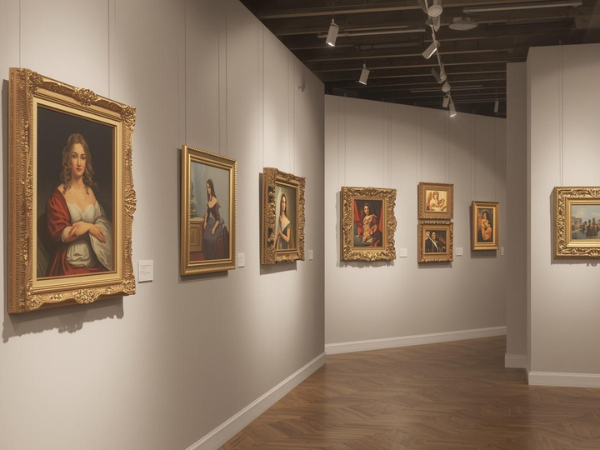
Virtual galleries are digital spaces designed to replicate the experience of visiting a physical art exhibition. They allow viewers to explore artworks interactively, often through 3D environments or curated online collections.
Key features of virtual galleries:
- Interactive navigation through rooms or collections
- High‑resolution images of artworks
- Multimedia integration such as video or audio guides
- Accessibility from any device with internet access
- Options for live events or guided tours
By understanding what virtual galleries offer, beginners can appreciate their potential as both creative and professional tools. They democratize art by removing geographic barriers, making exhibitions accessible worldwide.
Virtual galleries are more than digital showcases—they are platforms for storytelling, education, and community building.
Choosing the Right Platform
Selecting the right platform is the first step in creating a successful virtual gallery. Platforms vary in complexity, cost, and features, so it’s important to match your needs with the right tool.
Popular platform options include:
- ArtSteps – 3D gallery creation with interactive navigation
- Kunstmatrix – Professional exhibitions with VR compatibility
- Spatial – Social VR spaces for collaborative art shows
- Mozilla Hubs – Open‑source virtual environments
- Simple website builders – WordPress or Wix with gallery plugins
Each platform offers unique strengths, from immersive 3D experiences to simple online portfolios. Beginners should consider factors like ease of use, customization, and budget.
Choosing the right platform ensures your gallery reflects your artistic vision while remaining accessible to your audience.
Preparing Your Artwork for Display
Before uploading, artworks must be prepared to look their best in a digital environment. High‑quality presentation enhances viewer engagement and professionalism.
Steps to prepare artwork:
- Photograph or scan at high resolution
- Adjust lighting and color for accuracy
- Crop and format images consistently
- Add metadata such as title, medium, and dimensions
- Optimize file sizes for fast loading
Proper preparation ensures that your art retains its impact online. Viewers should feel as though they are experiencing the work in person, with accurate colors and details.
By investing time in preparation, you elevate your gallery’s credibility and create a polished, immersive experience.
Designing the Layout of Your Gallery
The layout of your virtual gallery determines how viewers interact with your work. A thoughtful design enhances storytelling and flow.
Layout considerations include:
- Organizing artworks by theme or chronology
- Creating clear navigation paths
- Balancing wall space and visual weight
- Using lighting effects for emphasis
- Incorporating interactive elements like audio guides
Designing a layout is about more than aesthetics—it’s about guiding the viewer’s journey. A well‑structured gallery encourages exploration and deeper engagement.
Your layout should reflect your artistic intent, transforming the gallery into a narrative space rather than just a collection of images.
Adding Multimedia Elements
Multimedia elements enrich the virtual gallery experience by providing context and interactivity. They help viewers connect with the art on multiple levels.
Examples of multimedia integration:
- Audio commentary from the artist
- Video interviews or process clips
- Background music to set the mood
- Interactive hotspots with extra information
- Links to external resources or publications
Adding multimedia makes your gallery dynamic and memorable. It allows you to share stories behind the art, making the exhibition more personal and engaging.
Multimedia transforms a static gallery into an immersive environment, enhancing both education and entertainment.
Promoting Your Virtual Gallery
Promotion is essential to attract visitors and build an audience. A well‑curated gallery deserves visibility across multiple channels.
Effective promotion strategies:
- Share on social media platforms
- Send email newsletters to subscribers
- Collaborate with influencers or art bloggers
- Host live virtual events or Q&A sessions
- Submit to online art directories and communities
Promotion ensures your gallery reaches beyond your immediate circle. By leveraging digital marketing, you can connect with global audiences.
A strong promotional plan turns your gallery into a cultural event, increasing engagement and recognition.
Hosting Virtual Events
Virtual events add interactivity and excitement to your gallery. They create opportunities for real‑time engagement with audiences.
Types of virtual events:
- Live artist talks or panel discussions
- Guided tours with commentary
- Interactive workshops or demonstrations
- Opening receptions with guest speakers
- Collaborative exhibitions with other artists
Hosting events fosters community and dialogue. It transforms your gallery from a static display into a living, evolving space.
Events encourage repeat visits and deepen connections between artists and audiences, making the gallery more impactful.
Engaging Your Audience
Audience engagement is key to sustaining interest in your gallery. Interactive features and communication channels help build relationships.
Ways to engage audiences:
- Enable comments or feedback forms
- Offer downloadable resources
- Create polls or interactive quizzes
- Encourage sharing on social media
- Provide contact options for inquiries
Engagement makes visitors feel valued and involved. It turns passive viewers into active participants in your artistic journey.
By fostering dialogue, you create a loyal community that supports and promotes your work.
Evaluating and Improving Your Gallery
Continuous improvement ensures your virtual gallery remains relevant and effective. Feedback and analytics provide valuable insights.
Methods of evaluation:
- Track visitor numbers and demographics
- Analyze time spent on specific artworks
- Collect feedback through surveys
- Monitor social media engagement
- Compare performance across exhibitions
Evaluation helps identify strengths and areas for growth. By adapting based on feedback, you refine your gallery’s impact.
Improvement is an ongoing process, ensuring your virtual gallery evolves with your audience and technology.